 HMG Tools

HMG Studiosheets
One place for the whole job: leads and projects, tasks and crew, call sheets and strip boards, receipts and budgets, and client rooms for delivery and review with notes.
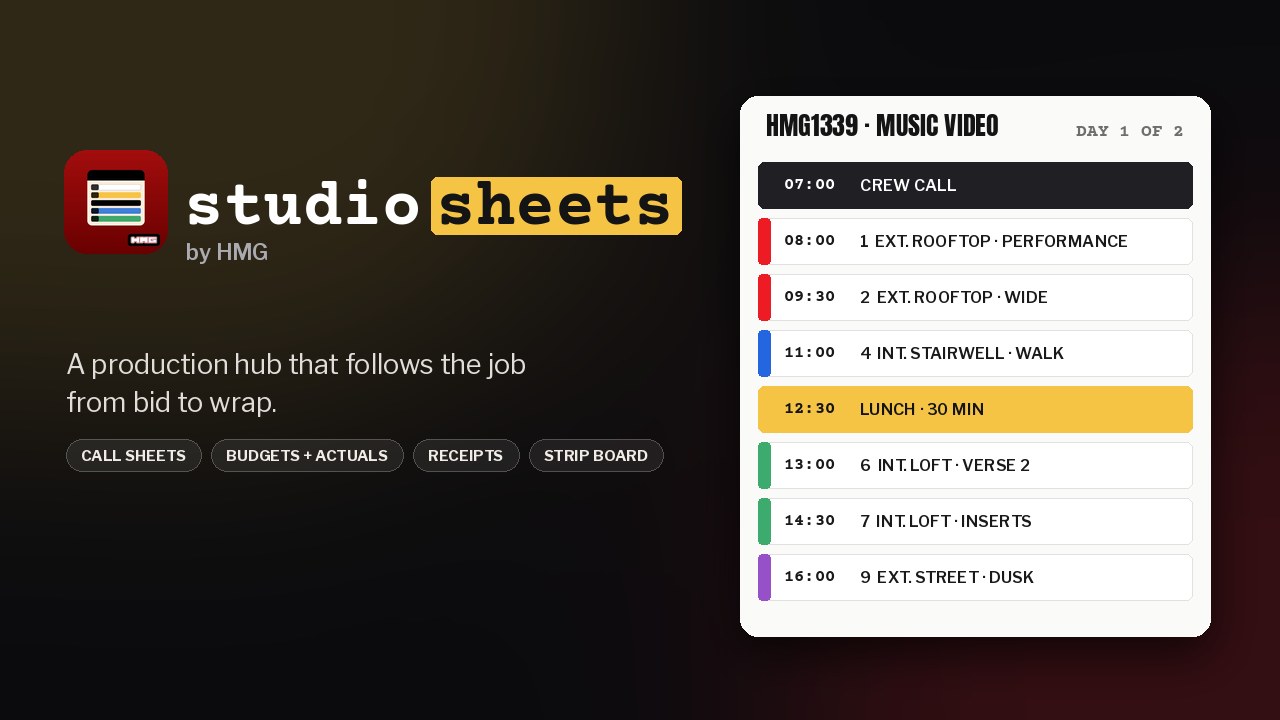

From the first call to delivery.
The job, start to finish
Built by a production company to run its own jobs, so each part does what a producer needs on the day, not what a spreadsheet template guessed.
Projects and leads
Leads carry an estimate, a probability and the next step until you promote one to a numbered project. Each project moves through the stages its kind needs: a shoot goes development, prep, shoot, post, delivered.
Tasks and crew
Give every task a person and a due date. Status runs Not Started, Working, Submitted, Changes, Done, with HOLD saying who it's waiting on. Late work is flagged before anyone has to ask.
Crew availability
See who's booked, who's pencilled and who has confirmed each day, with paperwork (W-9, COI) beside their name. Crew can tell you they can't make it, and calendar feeds sit next to the schedule.
Call sheets
Weather and the nearest hospital filled in, a call time for each person. Review and send, then watch who opened and confirmed. Every new version lists what changed.
Strip boards
One board per shoot. Drag setups between days, drop banners for company moves and meals, and park anything without a day in the bank until it has one.
Receipts and budgets
Upload receipts, drop them in a folder or label them in Gmail. Vendor, date, total, card and cost code are read for you; sure ones file themselves, the rest wait for review beside the image. Budgets track estimate, committed, paid and remaining.
A page for each client
- Delivery, pitch, fundraising or review: one room per purpose.
- Upload once, and the client downloads the files from their room.
- A passphrase and an end date when the work isn't public yet.
- See who opened it, what they played and how far they watched.
Notes on the frame
- A link by email, with no account to make.
- Time-coded notes and replies, drawn right on the paused frame.
- A watermark with the viewer's name, and a flag if a link gets forwarded.
- Versions side by side; the producer records each approval.
When it can't wait for a status update
Anyone on a project can raise a fire on their task, or on the whole project, with a line on what's wrong. Producers and directors get it at the top of the project and in their email, with a count on the Projects tab until it's handled.
- Reply in the thread, or Go to the task.
- Put it out with a half-second hold, so nobody does it by accident.
- Say how it ended: Handled, Not a fire or Moved to a task. Whoever raised it hears back.
Building manager wants a new COI before Thursday.Gaffer · 3 hours ago
Client moved the shoot up a day.Coordinator · 20 minutes ago
Your production, your files
Data you own
Run it on one computer or hosted for your team. Everything exports every day as plain CSV and JSON, with every receipt image. Reading a receipt sends that one image to a cloud model; switch it off to file receipts by hand.
You press send
Call sheets go out when you send them, not before. Nothing is hard-deleted: archived records stay recoverable.
Honest automation
Every reading carries a confidence score. Anything below your threshold lands in a review queue instead of being filed wrong.