 HMG Tools

HMG Tools · Free / pay what you want
HMG Safe Zone Kit
Sourced, dated safe zones for Reels, TikTok, Shorts, Snapchat and broadcast, right in the app you already cut in, so captions and logos never land under the buttons.
PNG + SVGResolveAfter EffectsPremiere
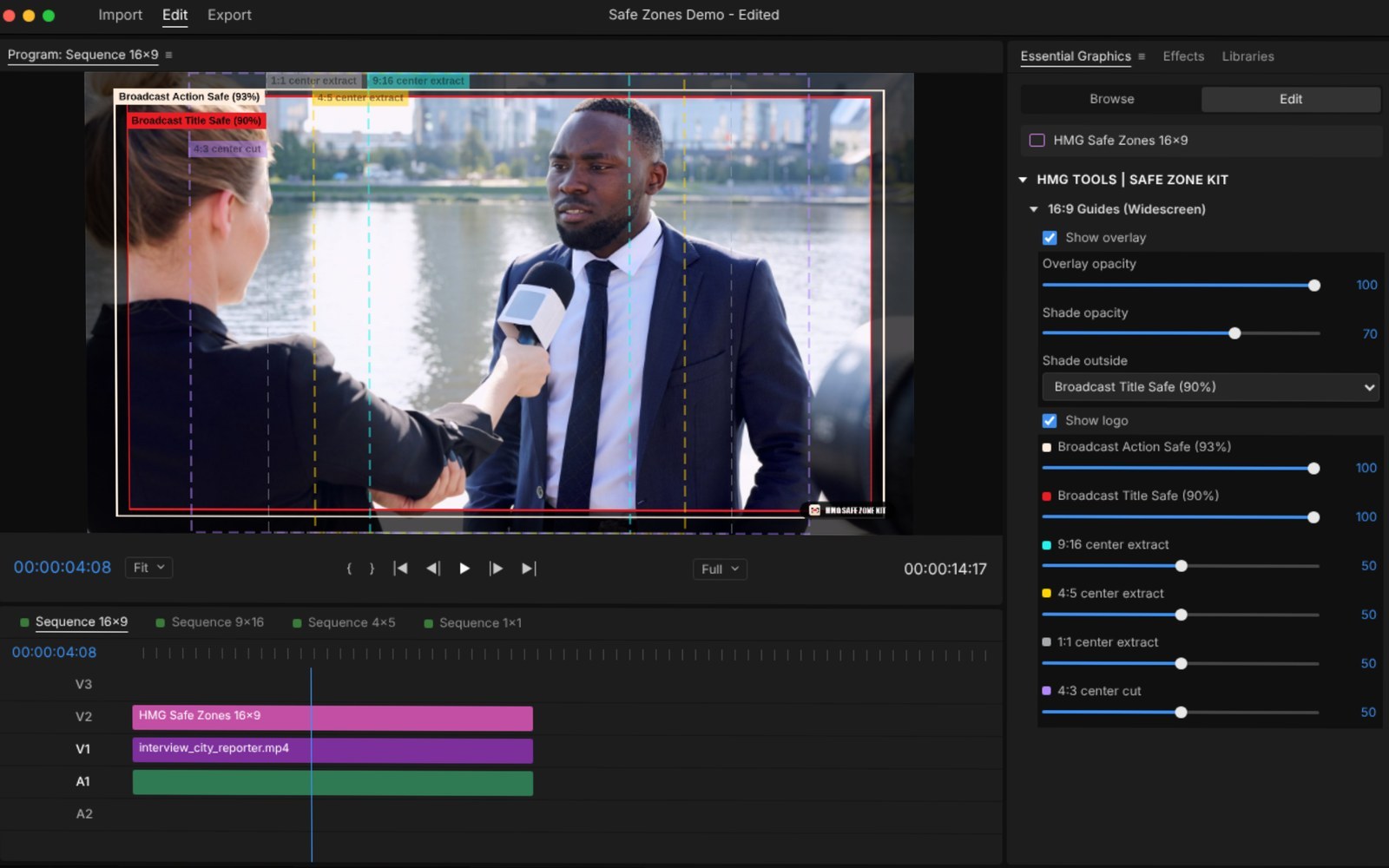
HMG Safe Zone Kit
Every platform's safe zone, in your comp.
What's in it
Every guide, every canvas
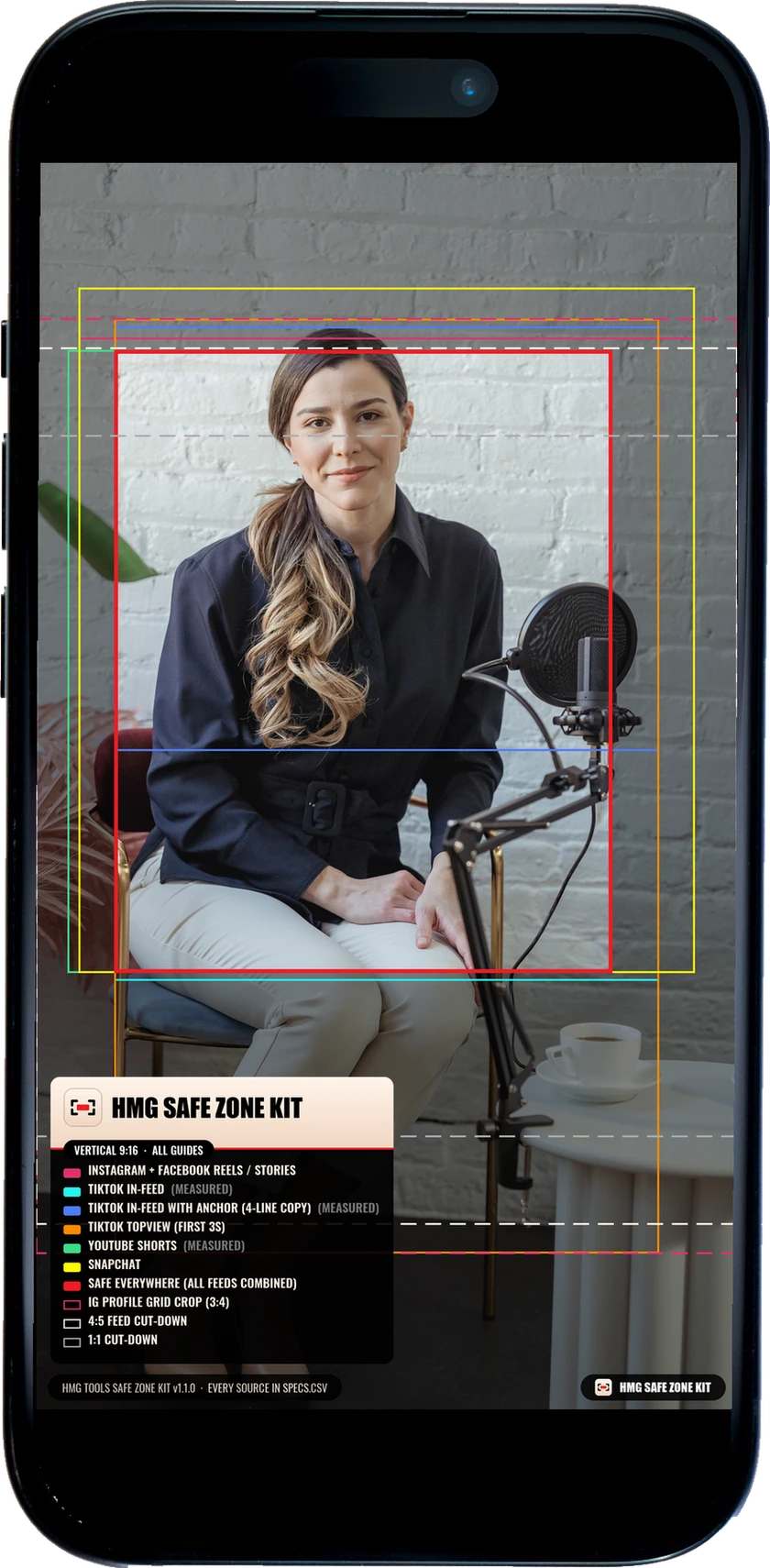
- 9:16: Instagram + Facebook Reels/Stories, TikTok In-Feed, In-Feed with Anchor and TopView, YouTube Shorts, Snapchat, and a combined Safe Everywhere zone.
- Crops: the Instagram profile grid (3:4), 4:5 and 1:1 cut-downs, plus 16:9 center extracts.
- Broadcast: action safe 93% and title safe 90%.
- PNG overlays at 1080p and 4K, SVG, a DaVinci Resolve title with a slider for each guide, and four Premiere templates (.mogrt) with guide controls. In After Effects, import the PNG that matches your comp.
Why this one
Numbers with sources
Safe-zone templates online rarely say where their numbers came from. In this kit every margin carries its source, the date it was checked, and how sure we are: official, measured from the platform's own template, or unconfirmed. It's all in SPECS.csv.
Official
Published by the platform, like Meta's Reels guide or TikTok's TopView spec.
Measured
Measured from a template the platform supplies, when it doesn't publish numbers.
Unconfirmed
Old or unverified sources, marked on the overlay so you know to double-check.