
Pre-flight
Know what breaks in the conform before the colorist does. Drop in a Premiere XML and get every problem, why it happens, and how to fix it.
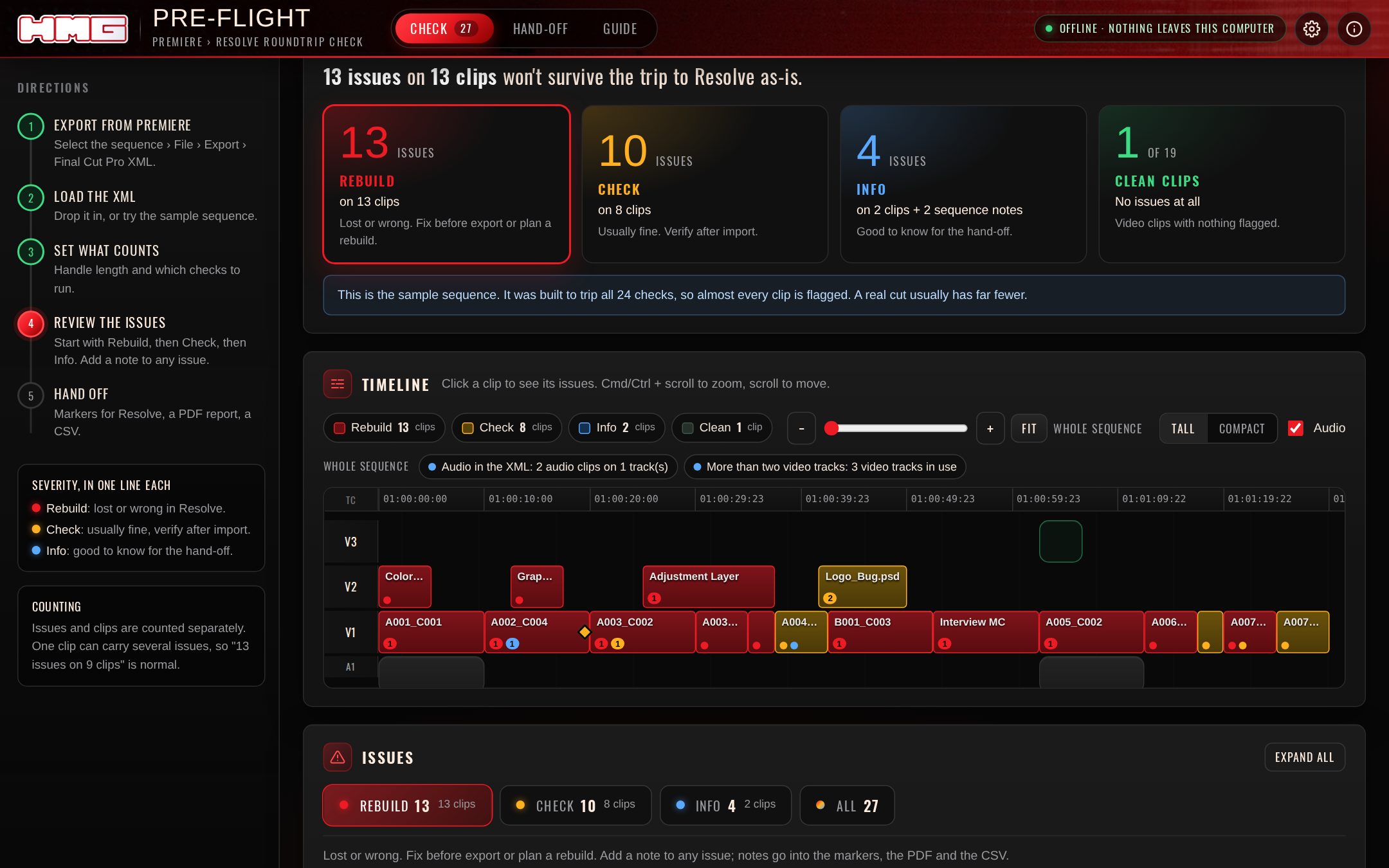
Issues and clips, counted honestly
Every problem is sorted into three severities, and each count says how many clips it's on, so "13 issues on 9 clips" reads the way it should.
- Rebuild: lost or wrong in Resolve. Fix before export or plan a rebuild.
- Check: usually comes across. Verify after import.
- Info: good to know for the hand-off.
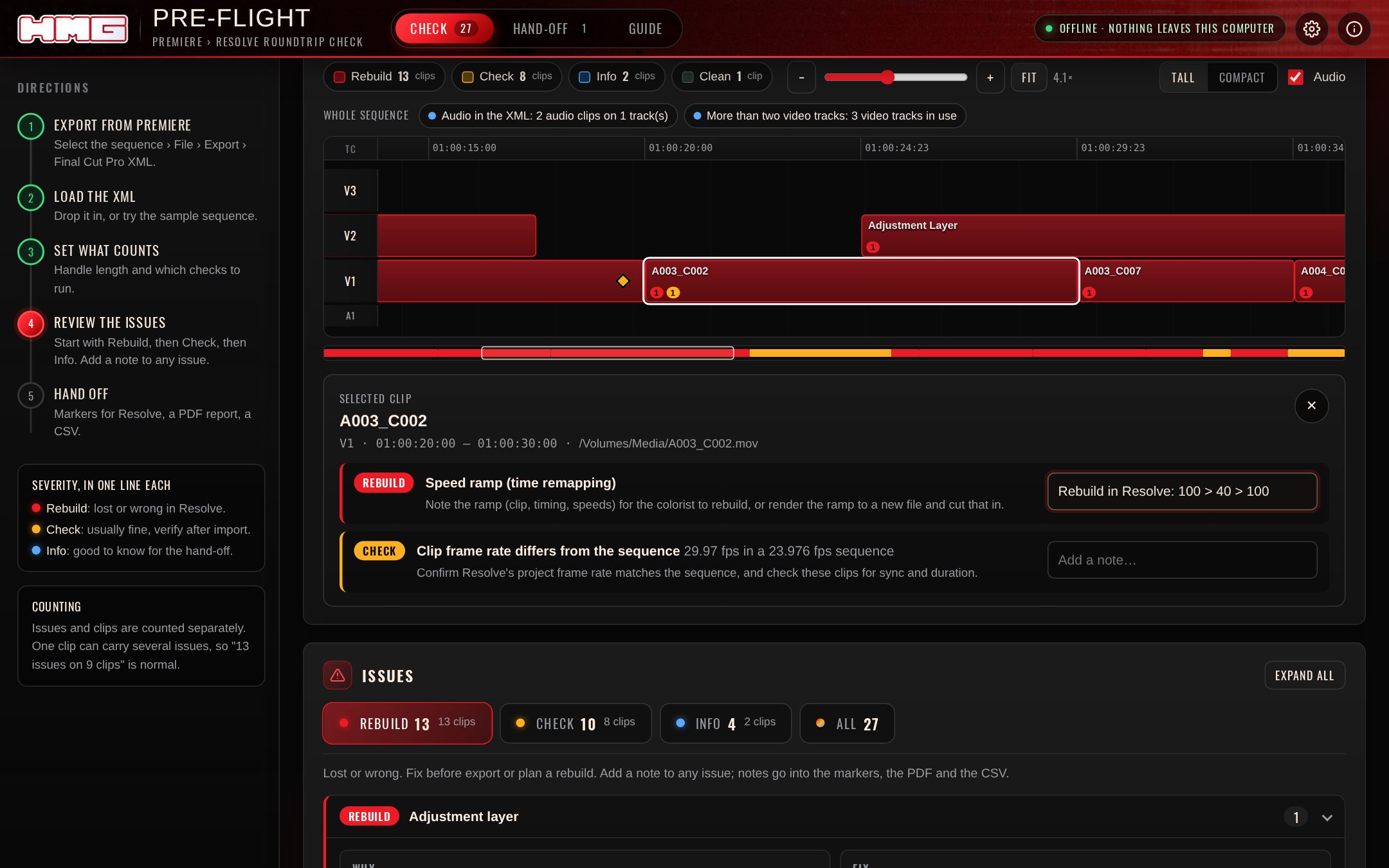
See where it breaks
Every clip is colored by its worst issue, and carries a mark for each severity on it. Zoom from the whole show down to single frames, scroll through 20 layers or an hour-long cut, and click any clip to see and annotate its issues.
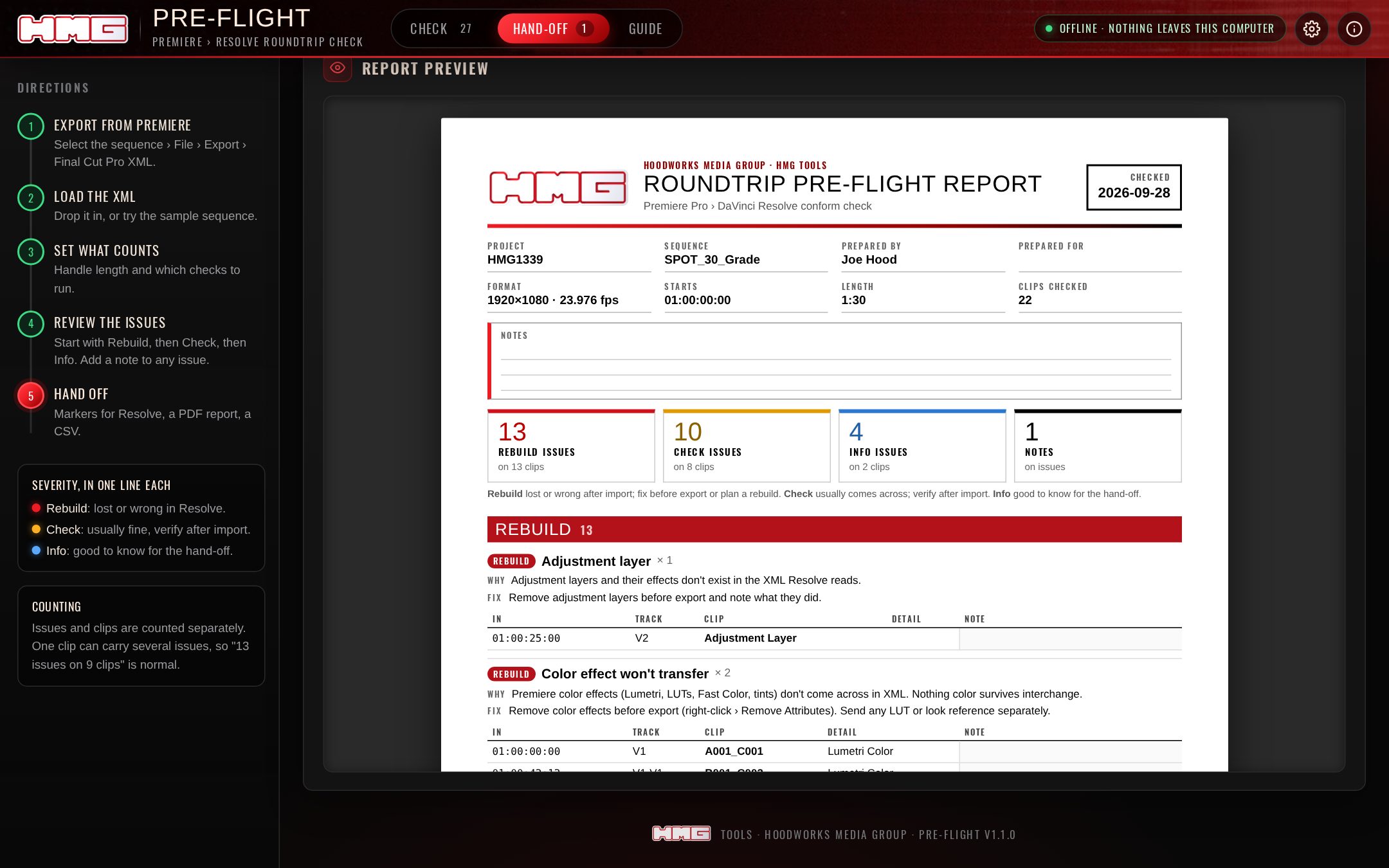
A report people can rely on
Add a note to any issue. Your notes ride along in all three exports:
- Resolve markers (.edl): a colored marker on every flagged clip.
- Hand-off PDF: project, prepared by, prepared for, notes, every issue with its fix, and a sign-off block.
- CSV: every issue with its note, for the spreadsheet crowd.
24 checks
Traced to Resolve's documentation and working conform guides. Turn any of them off, and set your own handle length.
Effects
Lumetri and other color effects, Warp Stabilizer, plugin effects, adjustment layers, blend modes.
Time
Speed ramps, reverses, freeze frames, speed changes, keyframed motion, crop and opacity.
Graphics
Titles, Essential Graphics, MOGRTs, color mattes, generators and Photoshop files.
Structure
Multicam, merged clips, nests, disabled clips, non-dissolve transitions, stacked tracks.
Media
Missing paths, duplicate file names, frame-rate and frame-size mismatches, short handles.
Sequence
Start timecode, audio in the XML, and anything else the colorist should hear about first.
Same app, every screen
Included
Included
Included
Coming next
- Mac app, web app and iPhone/iPad
- New versions download from your Gumroad library
- Sample sequence and a quick-start guide
FAQ
Does it convert my project?
No. It checks it. Converters that go straight from .prproj to Resolve can drop unsupported effects without telling you. Pre-flight tells you exactly what won't come across, so you can fix it or hand it off knowingly.
What do I export from Premiere?
Select the sequence, then File › Export › Final Cut Pro XML. That's the file Pre-flight reads.
Does my XML get uploaded?
No. Everything runs on your machine, including the web version. The app is built to make no network requests at all.
Why does the Mac app warn me the first time?
The app isn't notarized by Apple yet. The first time you open it, go to System Settings › Privacy & Security and click Open Anyway. After that it opens normally.